NICECX One

employees vs agents in nice cxone showing backend vs frontend roles and call handling workflow

Employees vs Agents in NICE CX – Complete Guide for Freshers

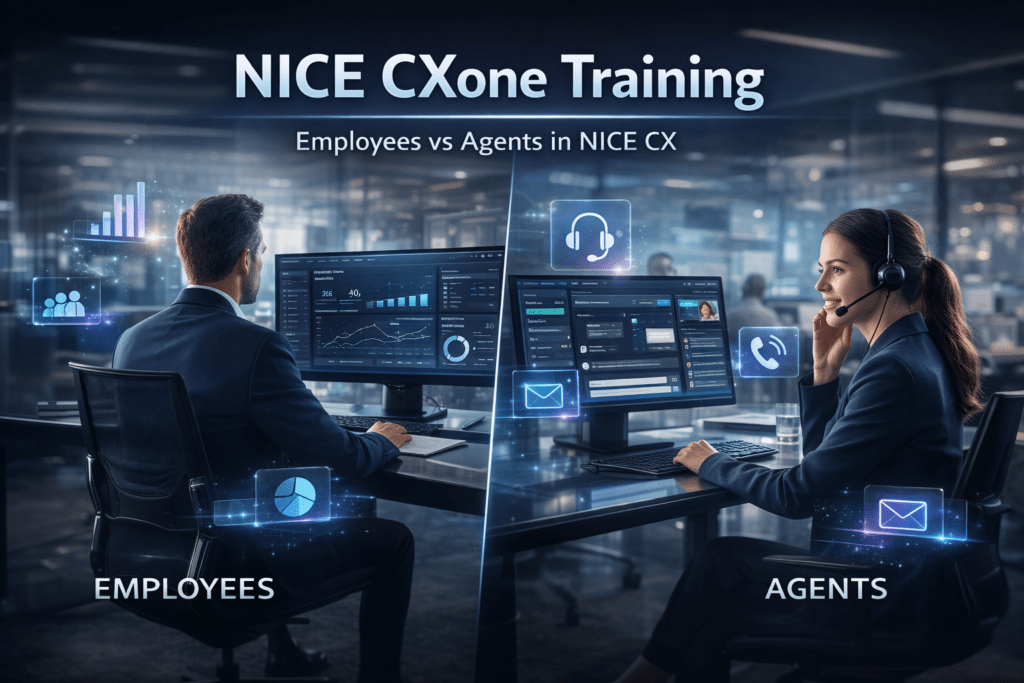
Employees vs agents in NICE CXone is one of the most important concepts every fresher must understand before starting their journey in a contact center environment. In NICE CXone training, this topic is explained clearly because many beginners get confused between these two roles, even though they have completely different responsibilities in the system. In this article, let’s understand in simple terms the difference between employee and agent in NICE CXone. What is an Employee in NICE CX? Employees in NICE CX are general users who work mostly in the backend. They are not directly involved in customer interaction. Key Points about Employees: Employees are general users in the system They include: Supervisors Managers Back-office staff QA analysts Trainers Primary Role of Employees: Manage and monitor contact center operations Supervise agents and team performance Handle administrative tasks Functionality Access: Employees have access to: Monitoring dashboards Reporting tools Workforce management Quality analysis System administration Their focus is mainly on management, reporting, and improvement. Performance Metrics: Not tracked like agents Focus is on: Operational efficiency Team performance Training and development Customer Interaction: Employees do NOT handle customer interactions directly What is an Agent in NICE CX? Agents in NICE CX are frontline users who directly interact with customers. Key Points about Agents: Agents are customer-facing users They handle: Calls Chats Emails SMS Primary Role of Agents: Handle customer interactions Resolve customer issues Provide support and service Functionality Access: Agents use tools like: ACD (Automatic Call Distributor) Softphone Scripts Outbound & inbound call features These tools help agents interact with customers efficiently. Performance Metrics: Agents are strictly tracked based on performance: AHT (Average Handle Time) FCR (First Call Resolution) Adherence Quality scores Monitoring is important to improve communication skills and service quality. Customer Interaction: Agents directly handle customers and focus on resolving their problems. Important Concept: Employee Can Become an Agent In NICE CX, when you assign a skill to an employee, that user can act as an agent. Example: A supervisor (employee) can also take calls if given the required skill In that case, they temporarily act as an agent Role Comparison – Employees vs Agents in NICE CXone Employees: Work in backend Focus on management Monitor reports and performance Not customer-facing Have access to all reports Agents: Work in frontend Handle customers directly Use tools like ACD and softphone Performance is measured strictly Access only their own reports Quick Summary for Freshers Employee = Manage, Monitor, Improve Agent = Handle Customer Interactions Simple understanding: Employees = Back-end (Non-customer facing) Agents = Front-end (Customer facing) Learn more in our NICE CXone Training course

Employees vs Agents in NICE CX – Complete Guide for Freshers Read More »
nice cxone training basics showing agent setup acd call routing and user roles dashboard

NICE CXone Training: Complete Guide to Roles, ACD & User Management

Nice CXone training basics help professionals understand one of the most in-demand skills required to build a career in cloud contact center technologies. Whether you are a beginner or already working in a call center environment, understanding how the system works is very important. In this article, you will learn key concepts of NICE CX Training, including user roles, agent setup, ACD functionality, and performance metrics. What is NICE CXone Training? NICE CXone Training helps professionals understand how a modern cloud contact center platform works. It covers: User creation and management Agent handling and call flows ACD (Automatic Call Distribution) Reporting and workforce management The platform is developed by NICE Ltd. and is widely used across global enterprises. Understanding Employee vs Agent in NICE CX One of the most important concepts in NICE CX Training is the difference between employees and agents. Employees (Supervisors / Managers) Focus on monitoring and management Do NOT handle customer calls Access reports and workforce tools Manage agent performance Their role is mainly administration and supervision Agents (Customer Handling Users) Handle inbound and outbound calls Use softphones and scripts Solve customer issues directly Measured based on performance Agents are the frontline users in NICE CXone As explained in your content,Employees manage operations, while agents handle customer interactions directly How User Creation Works in NICE CXone In NICE CXone Training, user creation follows a structured approach: Step 1: Create Employee Add basic details: First Name Last Name Email Username Step 2: Assign Roles Manager Supervisor Evaluator Agent (via skills) Step 3: Assign Skills Skills convert employees into agents Once skills are assigned → user becomes part of ACD Important Concept:Agents are NOT created separatelyEmployees become agents through skill assignment What is ACD in NICE CXone? ACD (Automatic Call Distribution) is a core concept in NICE CX Training. How it works: Calls are automatically routed to available agents Only users with assigned skills receive calls ACD user list = Employees with skills This ensures: Efficient call handling Proper workload distribution Better customer experience Role-Based Performance Metrics Each role has different performance metrics. Manager Metrics Workforce efficiency Agent productivity Reporting insights Agent Metrics Call handling time Response time Customer satisfaction Adherence to scripts Agents are measured on interaction quality, while managers focus on operational efficiency Learn more in our NICE CXone Training course

NICE CXone Training: Complete Guide to Roles, ACD & User Management Read More »

nice cxone point of contact flow showing call routing ivr script and agent assignment

NICE CXone Training: What is Point of Contact (POC) in NICE CXone?

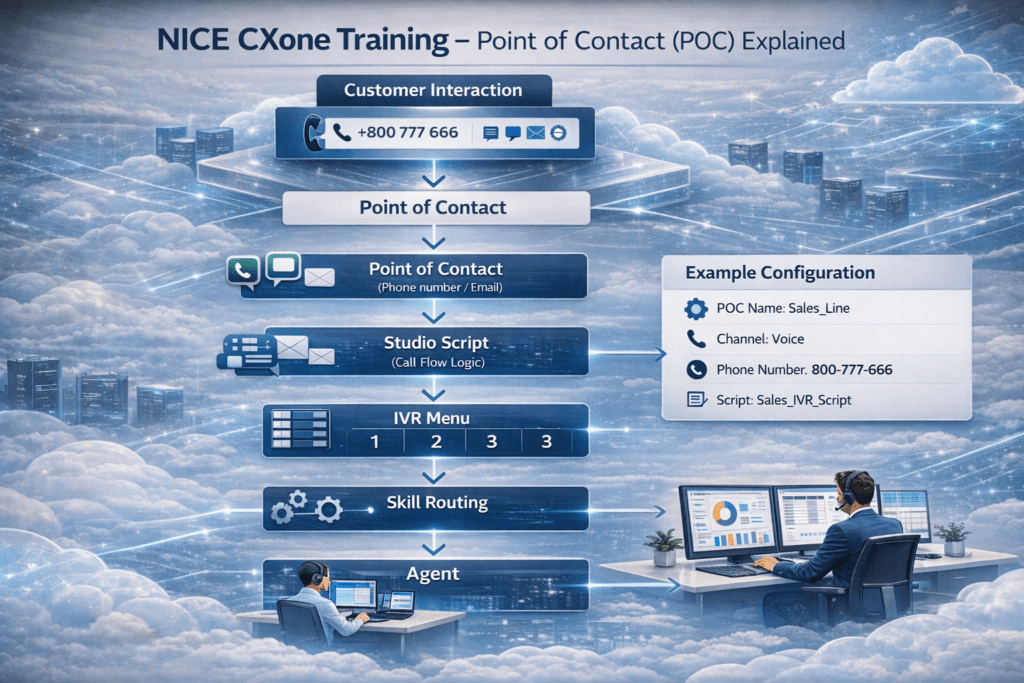
Ultimate NICE CXone Point of Contact: POC Explained Nice CXone point of contact (POC) is the entry point where all customer interactions enter the NICE CXone platform, making it one of the most important concepts to understand. NICE CXone Training helps professionals learn how interactions such as calls, chats, emails, and messages flow through the system using POC mapping and routing logic. One of the key concepts in NICE CXone Training is understanding how the Point of Contact connects customer channels to Studio scripts and controls the entire interaction flow. What is Point of Contact (POC)? In NICE CXone, a Point of Contact (POC) is the entry point where a customer interaction enters the system. Every interaction—whether it is a phone call, email, chat, SMS, or social channel—first enters the platform through a POC. The POC is mapped to a Studio script, which controls the entire call flow and routing logic. Think of a Point of Contact as the front door of a contact center. Customer Channels Represented by POC A Point of Contact represents the customer channel, which can include: 📞 Phone number (DID / Toll-free number) 💬 Chat widget 📧 Email address 📱 SMS number 🌐 Social channel Each channel is mapped to a specific script in NICE CX Studio. How Point of Contact Works in NICE CXone The workflow of a POC in NICE CXone is simple but powerful. Customer calls the support number System checks the incoming number Number is matched with the Point of Contact POC loads the mapped Studio Script IVR menu plays (Press 1 for Sales, 2 for Support, 3 for Billing) Interaction routes to the Skill Call is assigned to the Agent This process allows organizations to control how every customer interaction flows through the contact center. Example of a NICE CXone Point of Contact Configuration Example POC configuration: POC Name: Sales_Line Channel: Voice Phone Number: 800-777-666 Script: Sales_IVR_Script When a customer calls this number, the call is automatically routed through the mapped script and IVR flow. Creating a NICE CXone Point of Contact in NICE CXone To create a POC, follow these steps: Log in to NICE CXone Admin Portal Go to ACD Click Points of Contact Create a new POC Select the channel type (Voice, Email, Digital) Map the DID phone number Assign theStudio Script Now the customer interaction is connected to the call flow logic. Where to Create the Script? Lorem ipsum dolor sit amet, consectetur adipiscing elit. Ut elit tellus, luctus nec ullamcorper mattis, pulvinar dapibus leo. Scripts used in POC routing are created using NICE CX Studio. NICE CX Studio NICE CX Studio is a desktop application used to design call flows. You can download and install: StudioSetup.exe After installing: Open Studio application Login using Session ID authentication Go to Browse to see scripts Create folders for call flows Use Tools panel to drag and drop component Creating a Call Flow Script Steps to create a script in NICE CX Studio: 1️⃣ Open Studio 2️⃣ Click File → New Script 3️⃣ Choose script type: • Generic • Phone • Voicemail • Digital 4️⃣ Drag components into the canvas 5️⃣ Save the script inside a folder Example scripts: • Generic script • Phone call flow • Voicemail flow Each script is represented with different icons. Why Point of Contact is Important The Point of Contact plays a critical role in the NICE CX platform because it: • Controls customer interaction entry • Maps communication channels • Connects DID numbers to scripts • Enables automated IVR routing • Sends interactions to the right agents Without POC mapping, the system cannot route customer interactions correctly. Learn more in our NICE CXone Training course

NICE CXone Training: What is Point of Contact (POC) in NICE CXone? Read More »

cxone mpower ultimate suite AI automation showing chatbot virtual assistant and omnichannel features

NICE CXone Training: CXone Mpower Ultimate Suite with AI Automation

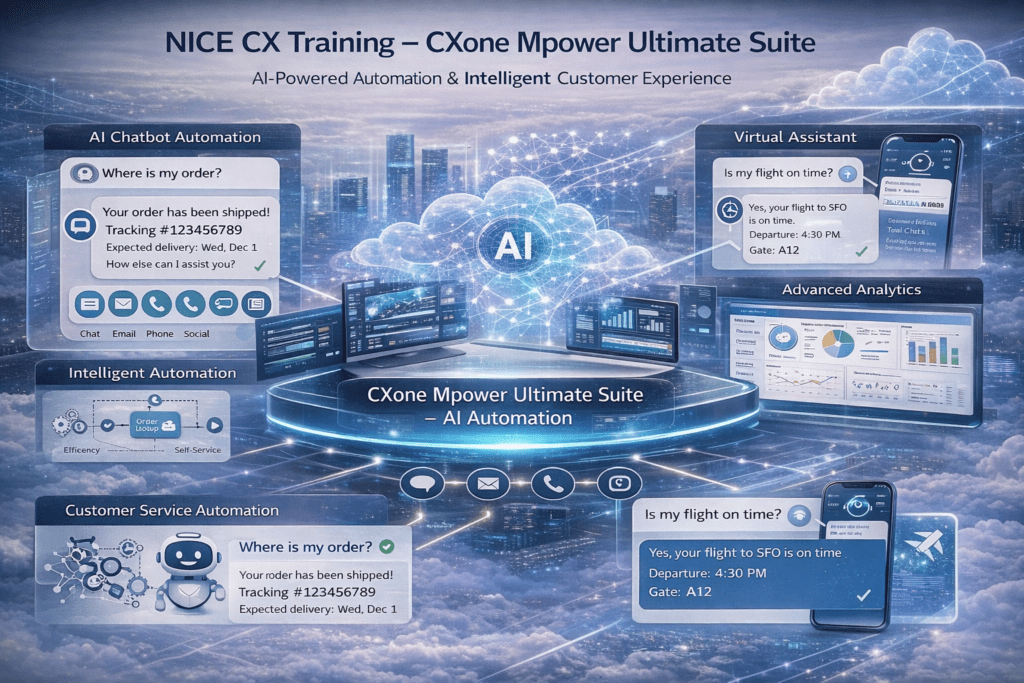
CXone Mpower Ultimate Suite is one of the most advanced solutions in modern cloud contact centers, helping organizations deliver intelligent automation and enhanced customer experiences. It combines powerful features like omnichannel communication, analytics, and workforce management with advanced AI capabilities. NICE CXone Training helps professionals understand how modern cloud contact centers are evolving with artificial intelligence and automation. One of the most advanced solutions covered in NICE CXone Training is the CXone Mpower Ultimate Suite, which includes all capabilities from previous bundles along with powerful AI-driven features. The CXone Mpower Ultimate Suite combines features from Omnichannel, Essential, Core, and Complete Suites, including voice channels, digital channels, recording, workforce management, analytics, and customer insights. On top of these capabilities, it introduces advanced AI-powered automation and virtual assistants that transform customer service operations. Key capabilities of the CXone Mpower Ultimate Suite include: • AI-powered chatbots• Virtual assistants for customer support• Intelligent automation• Advanced analytics and reporting• Omnichannel communication With NICE CXone Training, learners can understand how organizations use AI to automate common customer queries without requiring human intervention. Example Scenario A customer asks:“Where is my order?” Instead of waiting for an agent, the AI chatbot instantly responds with real-time order tracking details. Similarly, customers can automatically check: • Flight status• Order updates• Billing information• Service requests This level of automation significantly reduces agent workload and allows contact center teams to focus on complex issues that require human expertise. The primary goal of the CXone Mpower Ultimate Suite is to deliver an AI-driven customer experience with intelligent automation and real-time insights. NICE CXone Training also emphasizes the importance of AI in modern contact centers, as enterprises such as airlines, e-commerce platforms, and global service providers rely on these capabilities to improve response time, increase efficiency, and deliver superior customer experiences. Learn more in our NICE CXone Training course

NICE CXone Training: CXone Mpower Ultimate Suite with AI Automation Read More »

CXone Mpower Complete Suite dashboard with AI analytics tools

 CXone Mpower Complete Suite for Advanced Analytics

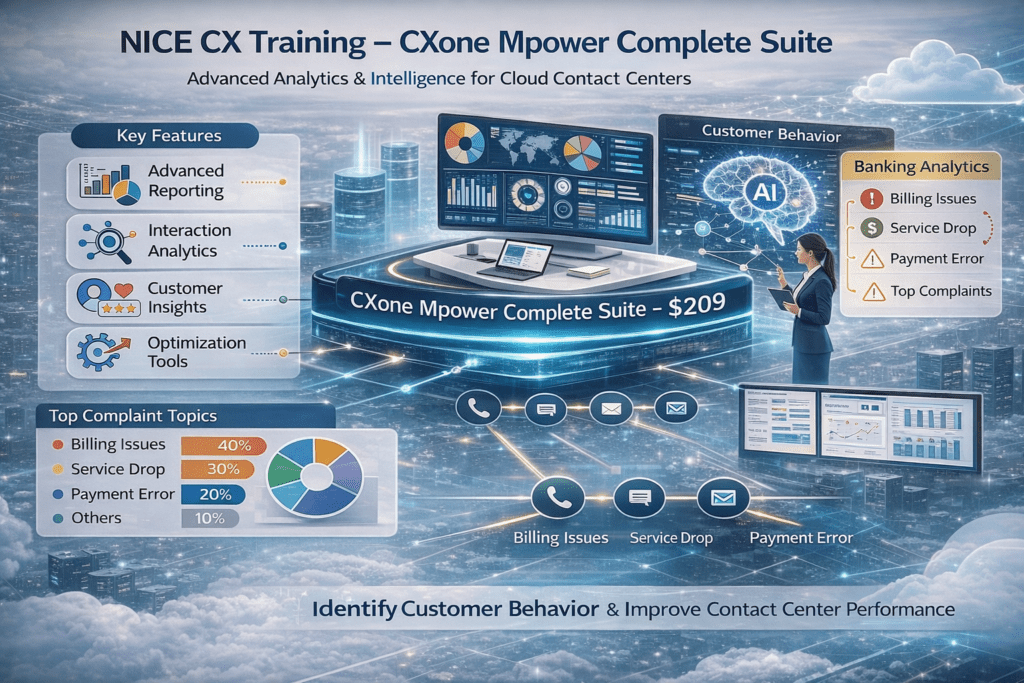
Introduction to NICE CX Mpower NICE CX Mpower provides powerful analytics capabilities that help organizations understand customer behavior and improve contact center performance. One of the most advanced bundles introduced after workforce optimization is the CXone Mpower Complete Suite. What is CXone Mpower Complete Suite? The CXone Mpower Complete Suite includes everything available in the Omnichannel, Essential, and Core Suites, such as voice channels, digital channels, recording, monitoring, and workforce management. In addition to these capabilities, the Complete Suite introduces advanced intelligence and analytics tools. Key Features of CXone Mpower Complete Suite The Complete Suite offers powerful analytics capabilities, including: Advanced Reporting Interaction Analytics Customer Insights Optimization Tools These features help organizations analyze large volumes of customer interactions and improve service quality and agent performance. Real-Time Example For example, in industries like banking and financial services, customer interactions can reveal important trends such as billing issues, service interruptions, payment complaints, and customer dissatisfaction. Using interaction analytics in NICE CX Mpower, organizations can identify common issues, understand customer behavior, and route cases to the appropriate agents for faster resolution. Managers can also monitor performance trends and optimize workflows. Purpose of Complete Suite The main purpose of the CXone Mpower Complete Suite is to help organizations understand customer behavior, analyze interaction data, and improve overall contact center performance. Importance in NICE CXone Training In NICE CXone Training, learning the CXone Mpower Complete Suite is essential for organizations that rely heavily on analytics to enhance customer experience and operational efficiency. Industries such as banking, telecom, and large enterprises benefit significantly from these capabilities. Conclusion The CXone Mpower Complete Suite is a powerful solution for organizations that want to move beyond basic operations and leverage advanced analytics for better decision-making. By using tools like interaction analytics, reporting, and customer insights, businesses can identify trends, improve service quality, and optimize contact center performance. Understanding the CXone Mpower Complete Suite is essential for professionals and organizations aiming to deliver data-driven customer experiences and achieve operational excellence in modern cloud contact centers. Learn more in our NICE CXone Training course

 CXone Mpower Complete Suite for Advanced Analytics Read More »

CXone Mpower Core Suite showing workforce management, agent scheduling and call forecasting in NICE CXone platform

NICE CX Mpower: CXone Mpower Core Suite for Workforce Optimization

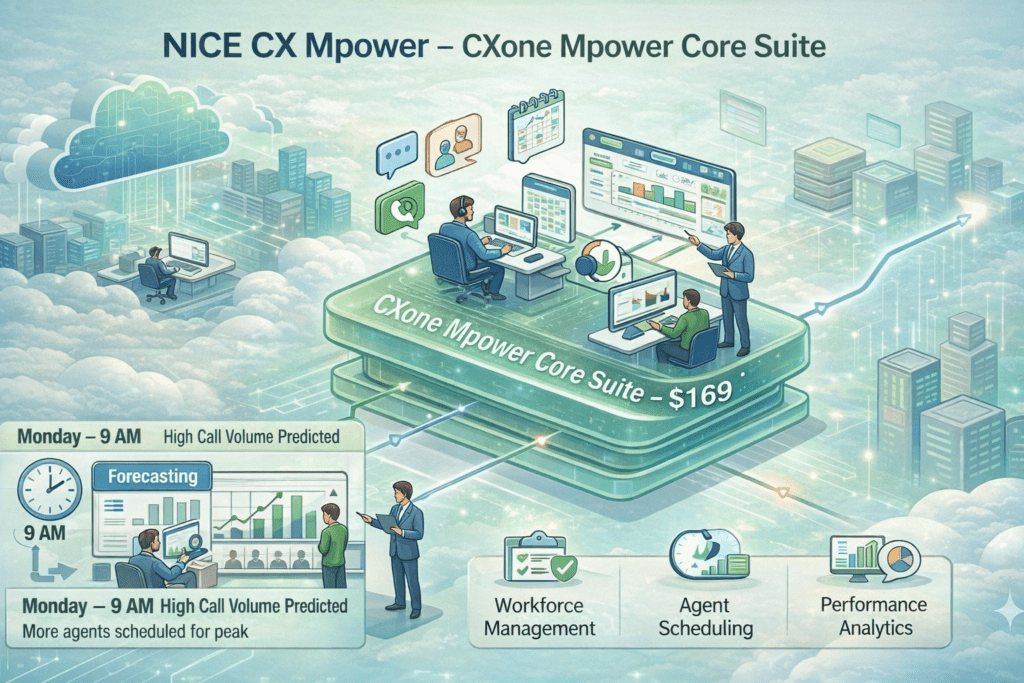
Introduction to NICE CX Mpower NICE CX Mpower introduces advanced workforce optimization capabilities for modern cloud contact centers. One of the most important bundles to understand is the CXone Mpower Core Suite, which helps organizations efficiently manage agents and customer interactions. What is CXone Mpower Core Suite? The CXone Mpower Core Suite includes everything from the Omnichannel Suite and Essential Suite, such as voice channels, digital communication, call recording, and monitoring. In addition to these capabilities, the Core Suite introduces powerful workforce optimization tools. Key Features of CXone Mpower Core Suite The Core Suite provides essential tools for managing contact center operations: Workforce Management (WFM) Agent Scheduling Call Volume Forecasting Performance Management These features help organizations manage staffing efficiently and ensure smooth customer service operations. Real-Time Example For example, a contact center may observe that Monday mornings between 9 AM and 10 AM receive a high number of calls. Using forecasting tools in NICE CX Mpower, the system can predict call volumes and help managers schedule the right number of agents during peak hours. This ensures faster customer response times while maintaining balanced workloads for agents. Purpose of Core Suite The main purpose of the CXone Mpower Core Suite is to help organizations plan staffing, forecast call demand, and manage agent schedules effectively. Importance in NICE CX Training In NICE CX Training, learning the CXone Mpower Core Suite is essential because workforce management is a key component of efficient contact center operations. Organizations handling high customer volumes—such as telecom providers, large enterprises, and service-based companies—rely on this suite to optimize performance. Conclusion The CXone Mpower Core Suite is a critical solution for organizations that need to manage large volumes of customer interactions efficiently. By combining workforce management, forecasting, and agent scheduling, it helps contact centers plan resources effectively and deliver faster, more reliable customer support. With the ability to predict call volumes and optimize staffing, businesses can reduce wait times, improve agent productivity, and maintain consistent service quality. This makes the Core Suite an essential tool for telecom companies, enterprises, and service providers handling high demand. In NICE CX Training, understanding the CXone Mpower Core Suite is important because it builds the foundation for advanced workforce optimization and prepares professionals to manage real-world contact center operations successfully.

NICE CX Mpower: CXone Mpower Core Suite for Workforce Optimization Read More »

CXone Mpower Essential Suite showing call recording, quality management and supervisor monitoring in NICE CXone platform

NICE CXone Mpower Essential Suite for Recording and Quality Monitoring

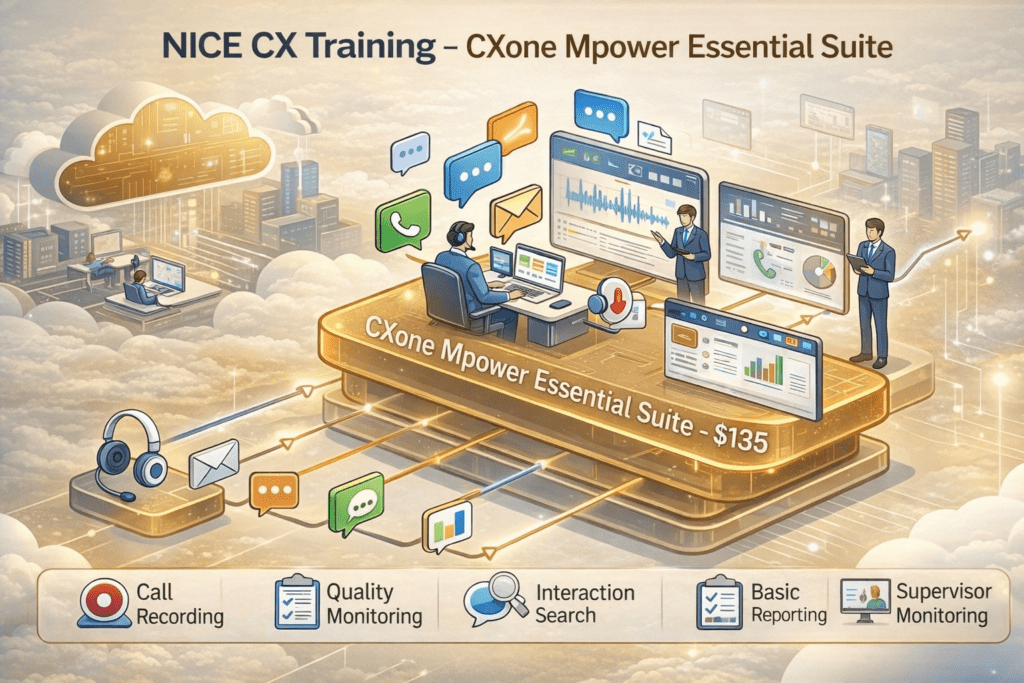
Introduction to NICE CX Training NICE CX Training helps professionals understand how modern cloud contact centers work. One of the key capabilities explained in NICE CXone Training is the CXone Mpower Essential Suite, which adds operational capabilities to the basic omnichannel platform. What is CXone Mpower Essential Suite? The CXone Mpower Essential Suite builds on the Omnichannel Suite and introduces important features such as call recording, quality management, interaction search, and supervisor monitoring. With this suite, contact center supervisors can monitor customer interactions and improve overall agent performance. Key Features of CXone Mpower Essential Suite The Essential Suite includes everything available in the Omnichannel platform plus additional operational tools such as: Call Recording Quality Management Interaction Search Basic Reporting Supervisor Monitoring These features help organizations track conversations, review agent interactions, and improve service quality. Real-Time Example For example, when a customer contacts support through phone, chat, or email, the interaction can be recorded and later analyzed by supervisors. This allows organizations to measure agent performance, quality scores, and service efficiency. Purpose of Essential Suite The main purpose of the CXone Mpower Essential Suite is to help supervisors monitor agents, evaluate customer interactions, and continuously improve support operations. If an organization requires recording and monitoring capabilities, the Essential Suite is the right solution because it combines omnichannel communication with quality management tools. Why It is Important in NICE CX Training In NICE CX Training, learning the CXone Mpower Essential Suite is important because it enables contact centers to improve agent productivity, service quality, and operational visibility. Conclusion The CXone Mpower Essential Suite is a powerful step forward for contact centers that want to move beyond basic communication and start improving service quality. By combining omnichannel capabilities with features like call recording, quality management, and supervisor monitoring, it gives organizations better control over customer interactions. With this suite, businesses can track performance, evaluate agent efficiency, and continuously improve customer support operations. It not only enhances visibility but also helps in delivering consistent and high-quality customer experiences. For professionals learning NICE CX platforms, understanding the CXone Mpower Essential Suite is essential, as it forms the foundation for building more advanced capabilities in workforce management, analytics, and AI-driven automation.

NICE CXone Mpower Essential Suite for Recording and Quality Monitoring Read More »

NICE CXone Omnichannel Suite showing voice, chat, email and WhatsApp communication in a unified contact center platform

A Guide to the NICE CXone Omnichannel Suite

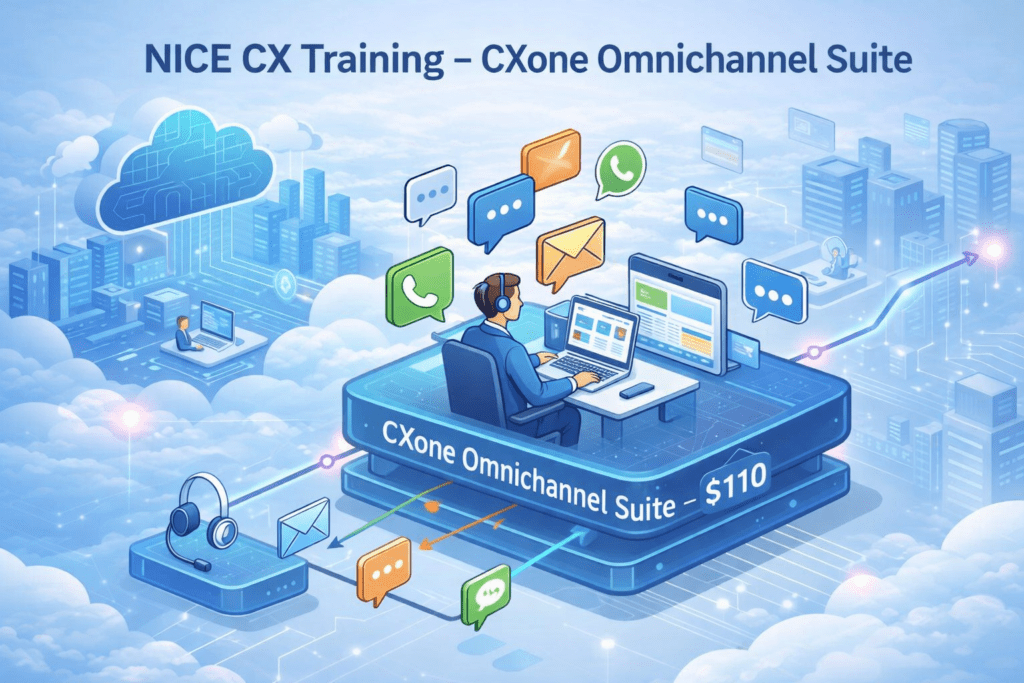
NICE CXone Omnichannel Suite: Complete Guide for Beginners NICE CXone Omnichannel Suite is a key component in NICE CX Training that helps professionals understand how modern cloud contact centers work. One of the most important features in NICE CXone Training is the Omnichannel Suite, which acts as the foundation of the NICE CX platform. The NICE CXone Omnichannel Suite is a single integrated solution that allows agents to communicate with customers through multiple channels from the same interface. What is NICE CXone Omnichannel Suite? The NICE CXone Omnichannel Suite is a single integrated solution that allows agents to communicate with customers through multiple channels from the same interface. With this capability, one agent can handle customer interactions through: Phone calls Live chat Email WhatsApp and messaging channels All these channels are routed to the same agent desktop platform, enabling agents to manage multiple conversations without switching systems. Purpose of Omnichannel Suite This bundle is considered the entry-level full contact center license in NICE CXone. The main purpose of the Omnichannel Suite is to enable agents to handle customer communication across multiple channels in one unified interface. Real-Time Example For example, a customer may first send a message through chat, then follow up through email, and later call the support team. Using NICE CXone, all these interactions can be managed seamlessly by the same agent. This improves customer experience, reduces response time, and allows organizations to deliver consistent support. Why Omnichannel Suite is Important In NICE CX Training, understanding the Omnichannel Suite is important because it forms the foundation of the entire NICE CXone platform. Companies typically start with the Omnichannel Suite before adding advanced features such as: Workforce optimization Analytics AI automation Conclusion The NICE CXone Omnichannel Suite plays a crucial role in building a modern cloud contact center by enabling seamless communication across multiple channels in a single platform. It allows agents to handle voice and digital interactions efficiently without switching between systems, improving both productivity and customer experience. By starting with the Omnichannel Suite, organizations can establish a strong foundation and gradually expand with advanced features like workforce optimization, analytics, and AI automation. Understanding this core bundle is essential for anyone looking to succeed in NICE CX Training and implement effective customer engagement strategies.

A Guide to the NICE CXone Omnichannel Suite Read More »

NICE CXone bundles showing 5 cloud packages Omnichannel, Essential, Core, Complete and Ultimate with features and pricing

NICE CXONE Training : Understanding the 5 NICE CXone Cloud Bundles for Modern Contact Centers

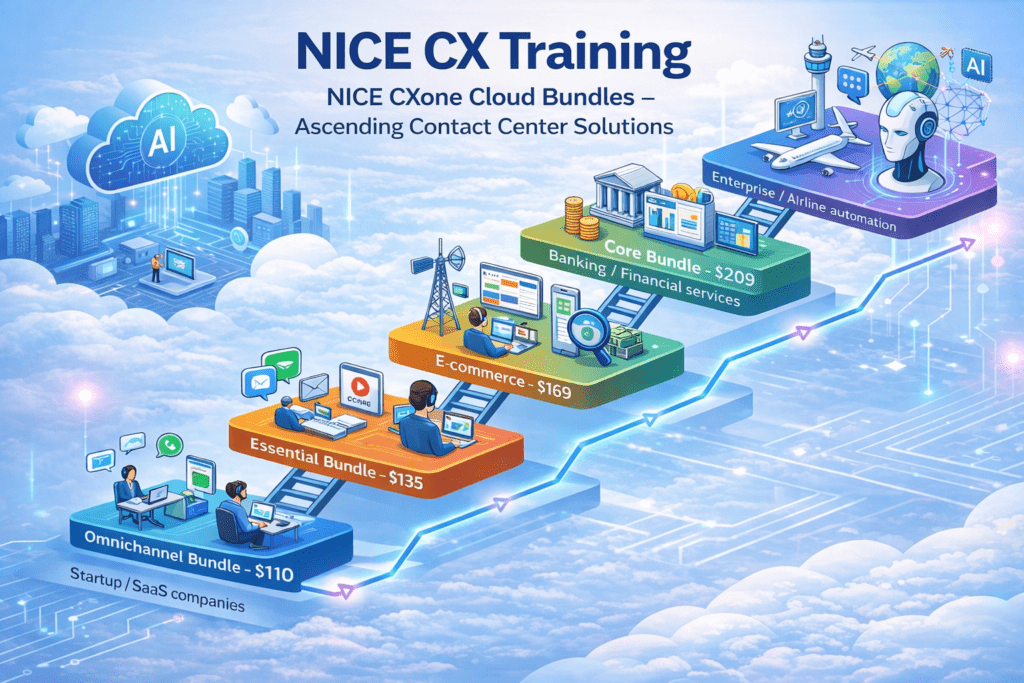
NICE CXone Bundles are becoming essential for organizations that want to build modern cloud contact centers. Platforms like NICE CXone provide a powerful cloud solution that combines voice, digital channels, analytics, workforce optimization, and AI automation in a single platform. However, many professionals who start NICE CXone Training often ask one common question Which NICE CXone bundle should a company choose? To answer this, NICE CXone bundles provides five different cloud bundles. Each bundle is designed for a specific stage of business growth and contact center maturity. These bundles include: Omnichannel Bundle Essential Bundle Core Bundle Complete Bundle Ultimate Bundle Each bundle gradually adds more capabilities such as call recording, workforce management, analytics, and AI automation. Let’s explore them in a simple way. The 5 NICE CXone Bundles 1. Omnichannel Bundle – Foundation Level The Omnichannel Bundle is the starting point in NICE CX Training. It focuses on communication across multiple channels. This bundle includes: • Voice support • Chat support • Email support • WhatsApp / digital messaging • Basic routing Price starts around $110 per agent per month. This bundle is ideal for startup companies that have a small support team and mainly handle customer queries through chat, email, or phone. Example Use Case A startup SaaS company has customers asking questions like: “How do I reset my password?” Customers may contact through web chat, WhatsApp, or voice calls. Agents respond quickly using the omnichannel platform. Advanced analytics or workforce management is not required yet. 2. Essential Bundle – Basic Tools with Recording The Essential Bundle adds important monitoring capabilities to improve customer support. This bundle includes: • Call Recording • Supervisor Monitoring • Quality Monitoring • Basic Reporting Price starts around $135 per agent per month. This bundle is widely used by E-commerce companies that want to monitor customer service interactions. Example Use Case A customer contacts support saying: “My order has not arrived yet.” The supervisor can later review the call recording to understand how the agent handled the issue and improve the service process. For businesses that require recording and supervision, the Essential Bundle is the right choice. 3. Core Bundle – Workforce Optimization The Core Bundle introduces workforce management capabilities. It is designed for large contact centers that need to plan agent schedules and manage call volumes. This bundle includes: • Workforce Management • Forecasting • Agent Scheduling • Performance Monitoring Price starts around $169 per agent per month. Industries such as telecom companies often use this bundle. Example Use Case A telecom contact center knows that Monday mornings receive high call volumes. Using forecasting tools in NICE CXone: • The system predicts the expected number of calls • Managers schedule more agents during peak hours This improves efficiency and reduces customer waiting time. 4. Complete Bundle – Advanced Analytics The Complete Bundle focuses on deeper customer interaction insights. This bundle includes: • Advanced Interaction Analytics • Sentiment Analysis • Customer Journey Insights • Performance Analytics Price starts around $209 per agent per month. This bundle is highly preferred by banks and financial institutions. Example Use Case A customer contacts the bank saying: “This credit card transaction looks incorrect.” With advanced analytics, the organization can: • Analyze customer complaints • Detect fraud patterns • Monitor agent performance These insights help financial institutions improve security and customer experience. 5. Ultimate Bundle – AI Automation The Ultimate Bundle represents the highest level of automation in NICE CXone. This bundle includes: • AI Chatbots • Virtual Assistants • AI Automation • Agent Copilot • Intelligent self-service Price starts around $249 per agent per month plus AI session cost. This bundle is commonly used by large enterprises and airlines that serve global customers. Example Use Case A traveler asks a chatbot: “Check my flight status.” The AI bot instantly responds with: • Flight delay information • Gate updates • Boarding time Only complex requests are transferred to human agents. This automation can reduce agent workload by 40–60%. Choosing the Right Bundle Selecting the right NICE CXone bundle packages depends on business needs and industry requirements. IndustryRecommended BundleStartup / SaaSOmnichannelE-commerceEssentialTelecomCoreBanking / FinanceCompleteAirlines / EnterpriseUltimate Every organization can start with a basic bundle and later upgrade as the business grows.

NICE CXONE Training : Understanding the 5 NICE CXone Cloud Bundles for Modern Contact Centers Read More »