NICE CXone training helps students understand cloud contact center platforms, including how regions and clusters work behind the scenes.
One of the most common questions is about regions, clusters, and how the system actually works behind the scenes. These concepts may sound technical at first, but once you understand the logic, they become very easy to follow.
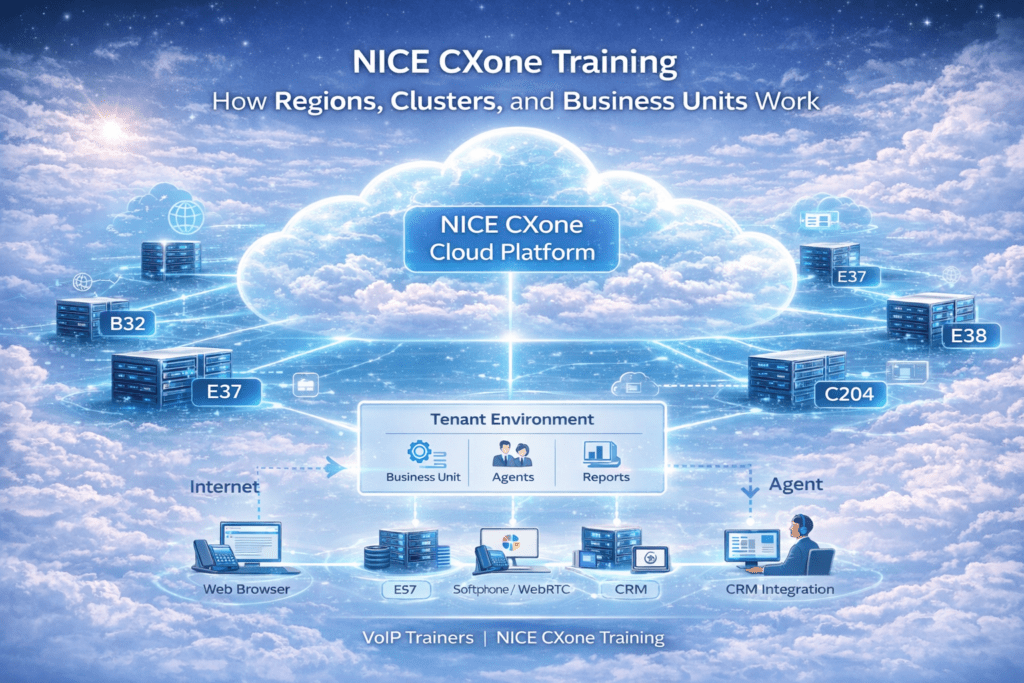
In simple terms, NICE CXone is built on a cloud infrastructure where multiple regions and clusters work together to provide high availability and reliability.
Why Does NICE CXone Have So Many Clusters?
You may wonder why NICE creates multiple clusters inside a single region.
The main reason is system reliability and performance. Large contact center platforms support millions of agents globally, so the infrastructure must be designed to handle huge traffic.
NICE uses multiple clusters in one region for:
- Load distribution – traffic is balanced across multiple data centers
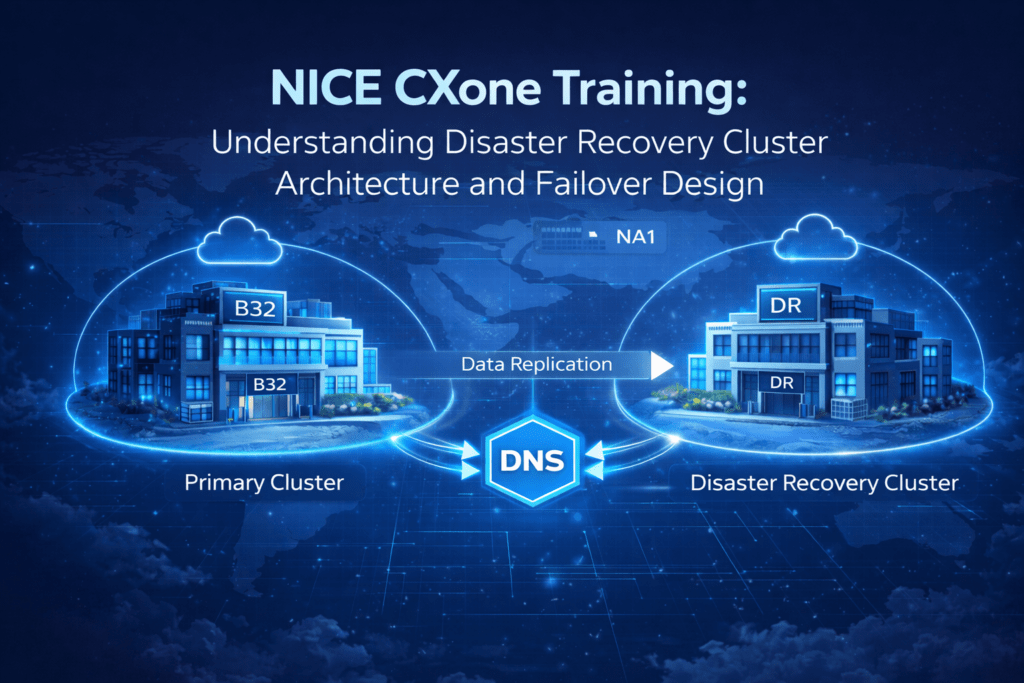
- High availability – if one cluster fails, another cluster can handle the traffic
- Disaster recovery – backup systems are always available
- Infrastructure expansion – new clusters can be added when demand grows
- New customer provisioning – different customers can be hosted on different clusters
This architecture ensures that the platform remains stable even if one part of the system faces issues.
Difference Between Region and Cluster
Many beginners get confused between region and cluster, but the difference is actually very simple.
A region represents a geographic location or country where NICE CXone services are hosted. A cluster, on the other hand, is a specific data center inside that region.
For example:
- Region decides: Data residency Network latency Compliance requirements
- Cluster decides: Exact FQDN (Fully Qualified Domain Name) Exact IP addresses Exact service endpoints
So first the system routes you to a region, and then inside that region, your environment runs on a specific cluster.
How to Know Which Cluster Your Tenant Is In
Every organization using NICE CXone has its own tenant environment.
The easiest way to identify your cluster is through the login URL.
For example, if your login URL contains something like:
This means your tenant is hosted in Cluster B32.
Similarly, another tenant might be hosted on Cluster C204 or Cluster E38, depending on the infrastructure assigned by NICE.
Understanding this concept is very important during NICE CXone Training, because engineers often need to check cluster details when working with integrations or troubleshooting issues.
What is a Web Server ID?
Another important concept is the Web Server ID.
When you log in to the NICE CXone platform, your request is handled by one of the web servers inside the cluster.
You can identify the web server by pressing Ctrl + A on the agent or admin page. The system will display the Web Server ID (for example: WEB01).
This information becomes very useful when:
- Raising a support ticket
- Troubleshooting login issues
- Configuring integrations like SIP trunks or CRM connections
The web server ID helps the support team identify which server your session is connected to.
What is a Business Unit in NICE CXone?
Another term that often confuses beginners is Business Unit.
In simple terms:
- A Tenant represents your organization’s environment in NICE CXone.
- Inside the tenant, there is a Business Unit, which is mainly used for billing and subscription management.
If you are familiar with Genesys terminology, you can think of it similar to an Organization ID.
When creating support tickets or managing subscriptions, the Business Unit ID helps NICE identify your account.
Conclusion
NICE CXone training helps learners clearly understand how regions, clusters, and supporting components work together to build a reliable and scalable cloud contact center platform. By breaking down complex concepts like load distribution, failover, web server IDs, and business units, professionals can easily grasp how the system operates behind the scenes.
NICE CXone training also provides practical knowledge that is essential for real-world scenarios such as troubleshooting issues, identifying cluster environments, and managing integrations effectively. This understanding ensures better system performance, stability, and seamless customer interactions.
In conclusion, mastering these core concepts through NICE CXone training is a crucial step for students and IT professionals who want to build a successful career in cloud contact center technology and confidently work with CXone environments.