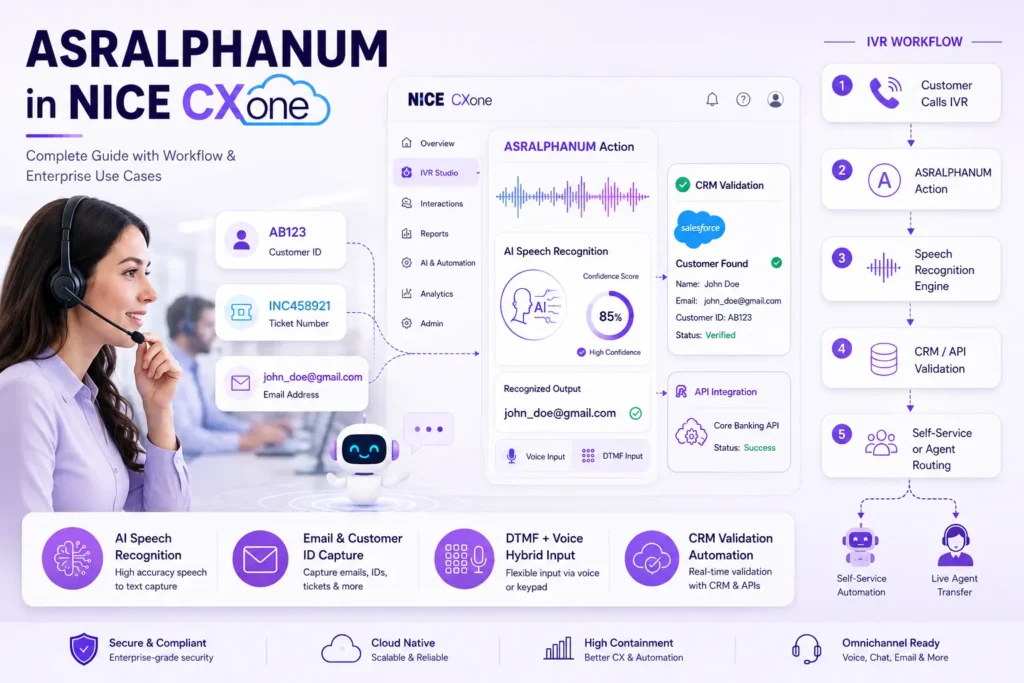
ASRALPHANUM in NICE CXone – Complete Guide with Workflow & Use Cases
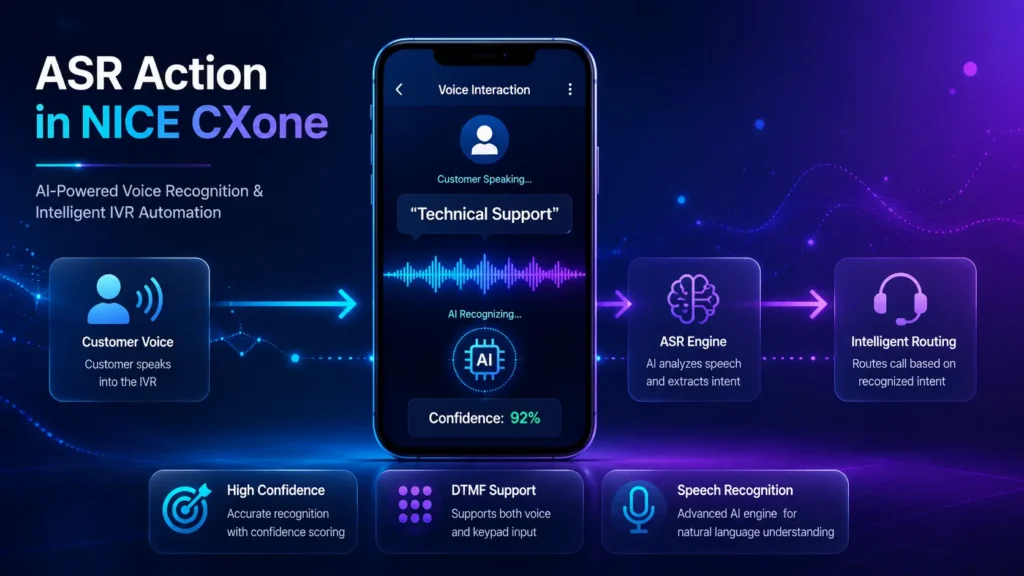
The ASRALPHANUM action in NICE CXone Desktop Studio allows callers to speak or enter letters, numbers, and special characters through IVR. It converts spoken alphanumeric values into variables that can be used for authentication, customer identification, ticket tracking, email capture, and account validation. This action is mainly used in advanced IVR automation workflows where users must provide: Email IDs Customer IDs Tracking Numbers Employee Codes License Keys Reference Numbers Usernames The action supports: NATO phonetic alphabet (Alpha, Bravo, Charlie) Digits (Zero–Nine) Special words like: underscore period dash space What is ASRALPHANUM? The ASRALPHANUM action captures spoken alphanumeric input and stores it inside a script variable. Example: Caller says: “Alpha Bravo One Two Three” Stored Result: AB123 This makes it extremely useful for: Customer verification systems Email collection CRM lookup Ticket validation AI-powered self-service IVR Supported Inputs The action recognizes: Alphabets Using NATO phonetics: Spoken Input Captured Value Alpha A Bravo B Charlie C Delta D Numbers Spoken Input Output Zero / Oh 0 One 1 Two 2 Special Characters Spoken Word Output Period . Underscore _ Space (space) Real-Time Business Use Cases Email Address Collection Example: Caller says: “john underscore doe at gmail period com” Stored Value: john_doe@gmail.com Used for: Password reset Email confirmation Digital ticket delivery Customer ID Validation Caller provides: CUS102938 The IVR validates the ID directly from CRM. Ticket Number Verification Example: INC458921 Used in IT helpdesk automation. Employee Authentication Users speak employee code before connecting to HR. AI Self-Service Banking IVR Capture: Account Number PAN Number Loan ID Application ID without agent involvement. ASRALPHANUM Workflow Architecture Advanced Enterprise Workflow Important Input Properties Sequence Defines the prompt played to the customer. Example: “Please say your customer ID now” Supports: WAV files TTS prompts Phrase Used only for documentation purposes. Helps developers understand the prompt text. HighConfidence Defines the confidence threshold for successful recognition. Default: 72 If ASR confidence ≥ 72: OnHighConfidence branch executes MinConfidence Defines minimum acceptable ASR confidence. Default: 51 If recognition is between: 51–71 then: OnMedConfidence executes TimeoutSeconds Defines silence timeout duration. Default: 10 seconds If caller remains silent: OnTimeout branch executes ResultVarName Stores recognized value. Example: CustomerEmail Result: john_doe@gmail.com DetectDTMF Allows both: Voice Input Keypad Input If enabled: TRUE caller can switch between speech and keypad. Branch Conditions Explained Branch Purpose Default Normal flow OnHighConfidence High ASR accuracy OnMedConfidence Medium confidence OnNoConfidence Recognition failed OnTimeout Caller silent OnError System issue OnDTMF Keypad input detected Recommended IVR Design Strategy This improves: Customer Experience Speech Accuracy Containment Rate Sample Enterprise Banking Workflow DTMF + ASR Hybrid Workflow Common Errors & Troubleshooting Problem 1 – Low Recognition Accuracy Solution Improve microphone quality Reduce background noise Increase confidence thresholds Problem 2 – Immediate OnDTMF Trigger Cause: Old digits exist in DTMF buffer. Solution Set: ClearDigits = TRUE Problem 3 – Timeout Issues Solution Increase: TimeoutSeconds for elderly callers. Optimization Tips Use Short Prompts Good: Please say your customer ID Bad: Please carefully say your complete customer identification number now Use Confirmation Flow You said AB123.Is that correct? Improves IVR accuracy significantly. Enable Multi-Language Support Using: Voiceparams → languageLocale You can detect: English Hindi Tamil Spanish French ASRALPHANUM vs ASRDIGITS Feature ASRALPHANUM ASRDIGITS Letters Yes No Numbers Yes Yes Email Capture Yes No Customer IDs Yes Limited Account Numbers Yes Yes Special Characters Yes No Example Studio Script Logic Play Prompt ↓ASRALPHANUM ↓OnHighConfidence ↓Assign Variable ↓API Request ↓Decision Branch Benefits of ASRALPHANUM Faster Authentication Reduces agent dependency. Better Self-Service Customers complete tasks without waiting. Reduced AHT Average Handle Time decreases. Improved Automation Enables AI-powered IVR workflows. Conclusion The ASRALPHANUM action in NICE CXone is one of the most powerful IVR speech-recognition tools for enterprise automation. It allows organizations to build intelligent voice workflows capable of capturing: Emails Customer IDs Tracking Numbers Usernames Authentication Data When combined with: CRM APIs AI routing Voice Biometrics Self-service automation it creates a highly scalable modern contact center experience-NICE CXone Training | VoipTrainers.
ASRALPHANUM in NICE CXone – Complete Guide with Workflow & Use Cases Read More »