Introduction
In contact center automation, sending emails to the right recipients is critical.
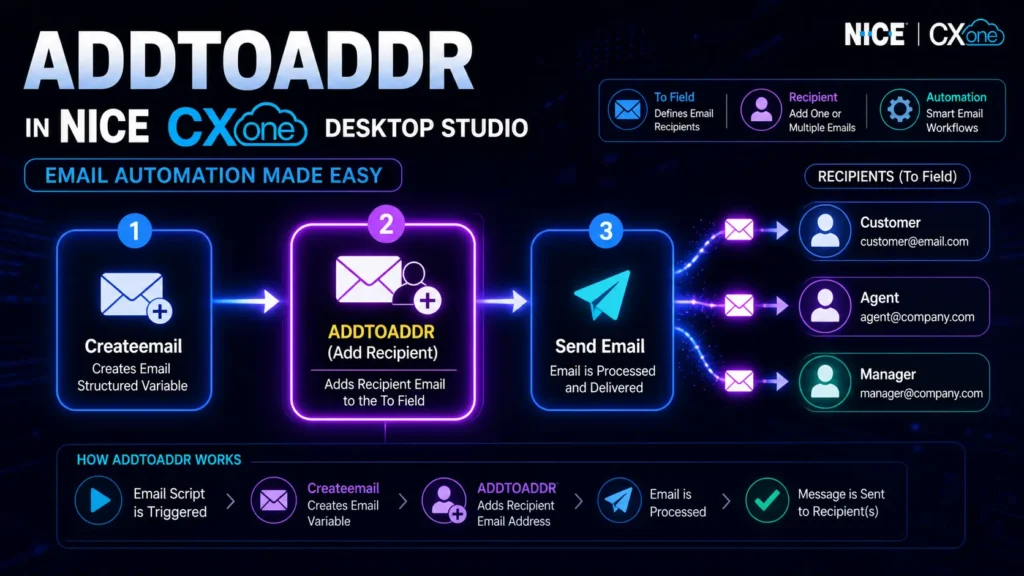
ADDTOADDR in NICE CXone Desktop Studio is an important action that helps you define who will receive the email in your workflow.
It works along with the Createemail action and allows you to add one or multiple recipients to your email script.
What is ADDTOADDR?
ADDTOADDR is an action used to add recipient email addresses to the structured variable created using Createemail.
Simple meaning:
It decides “who should receive the email”
Why ADDTOADDR is Important
Using ADDTOADDR, you can:
- Send emails to the correct recipients
- Add multiple users dynamically
- Build automated email workflows
- Improve communication accuracy
- Enable scalable email automation
Where ADDTOADDR is Used
- Email automation scripts
- Customer support workflows
- Ticketing systems
- Notification systems
- Contact center email routing
Supported Script Type
Email scripts only
Make sure your script is Email type before using this action.
How ADDTOADDR Works (Step-by-Step)
- Email script is triggered
- Createemail action creates a structured variable
- ADDTOADDR adds recipient email address
- Email is processed
- Message is sent to recipient(s)
Think of it like adding people to the “To” field in an email.
Workflow Diagram
[Start Script]
↓
[Createemail Action]
↓
[ADDTOADDR Action]
(Add Recipient Email)
↓
[Optional: ADDCCADDR / ADDFROMADDR]
↓
[Send Email]
↓
[End]
Input Properties Explained
1.Caption
- Custom name for the action
- Helps identify in script canvas
Example: Add Customer Email
2. ContainerVar
- Stores all email data
- Default value: EML
Contains:
- To
- From
- Subject
- Body
3. Recipient
- Email address of receiver
Example: - customer@gmail.com
- support@company.com
4. Replace (True/False)
- False (default) → Adds to existing list
- True → Replaces existing recipients
Use case:
- Multiple recipients → False
- Single fixed recipient → True
Result Branch Conditions
Default Branch
- Normal execution path
- Used if no other condition exists
Ensures smooth workflow continuation
Practical Example
Scenario: Support Email System
Goal: Send email to customer
Flow:
- Customer raises ticket
- Email script starts
- Createemail initializes
- ADDTOADDR adds:
- customer email
- Email sent
Result:
- Correct recipient
- Automated response
- Better customer experience
When to Use ADDTOADDR
When sending emails to users
When adding multiple recipients
When building automation workflows
When NOT to Use
Not needed for non-email scripts
Not needed for temporary variables
Avoid if recipient is fixed elsewhere
ADDTOADDR vs Other Actions
Feature | ADDTOADDR | ADDCCADDR | ADDFROMADDR |
Adds Recipient | Yes | Yes (CC) | No |
Sets Sender | No | No | Yes |
Email Field | To | CC | From |
Learn with NICE CXone Training
If you want to master actions like ADDTOADDR and build real-time automation workflows, NICE CXone training is essential.
With professional training, you will learn:
- End-to-end email scripting in NICE CXone
- Real-time workflow design (Createemail, ADDTOADDR, Sendemail)
- Contact center automation strategies
- Hands-on practical scenarios and use cases
At VoIP Trainers, you get:
- 100% practical training
- Real-time project experience
- Expert guidance from industry professionals
- Online & classroom sessions in Chennai
Conclusion
ADDTOADDR in NICE CXone Desktop Studio is a simple but powerful action that ensures your emails reach the right recipients at the right time. By combining it with Createemail and other email actions, you can build fully automated, scalable, and accurate communication workflows for your contact center.
When used correctly—with proper configuration of Recipient, ContainerVar, and Replace—you can avoid errors, improve response time, and deliver a better customer experience.