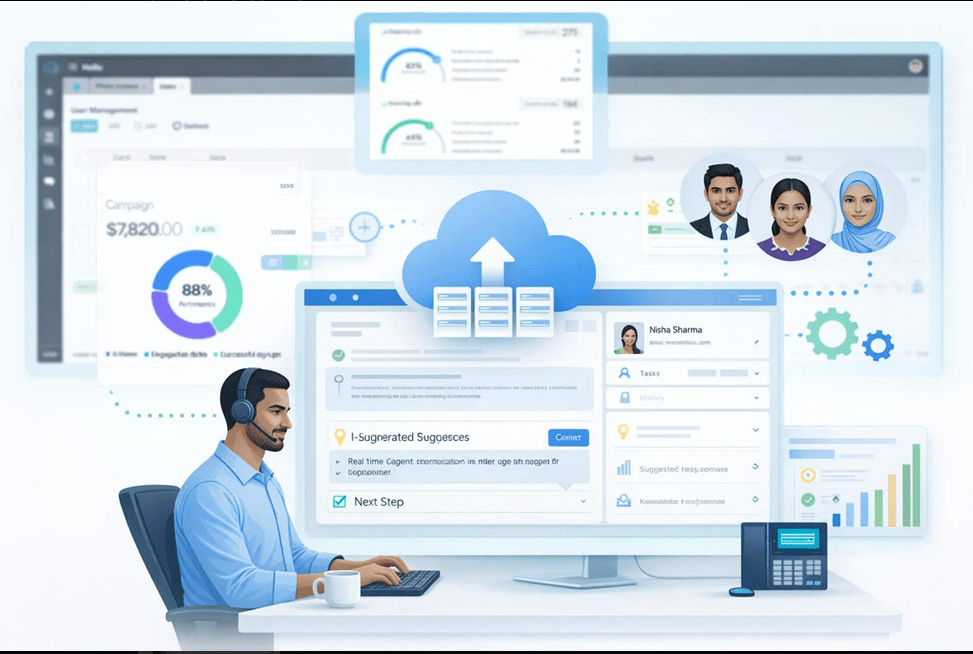
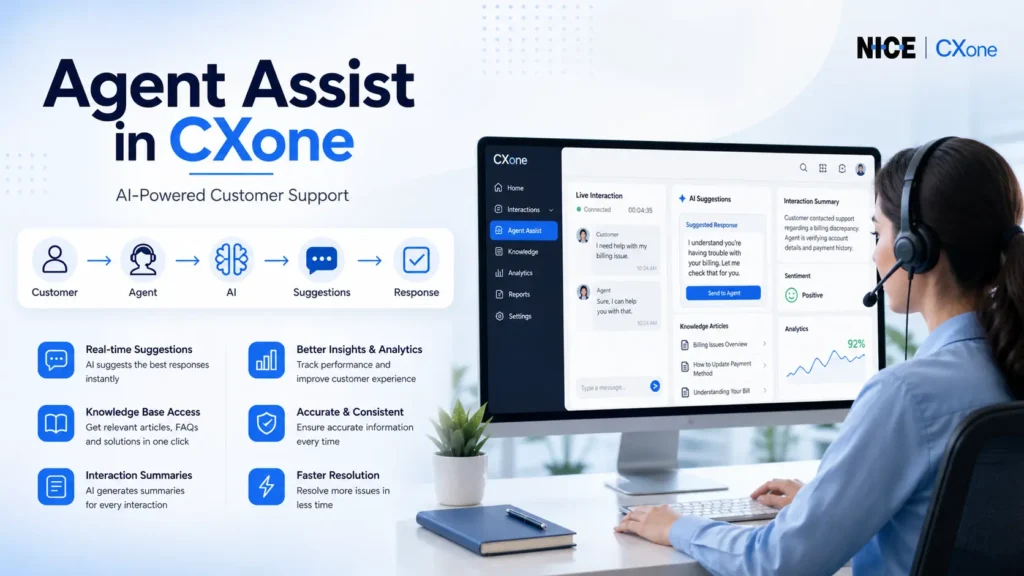
NICE CXone Agent Assist is an advanced feature that helps agents during live customer interactions. It uses AI-powered tools to provide:
Real-time suggestions
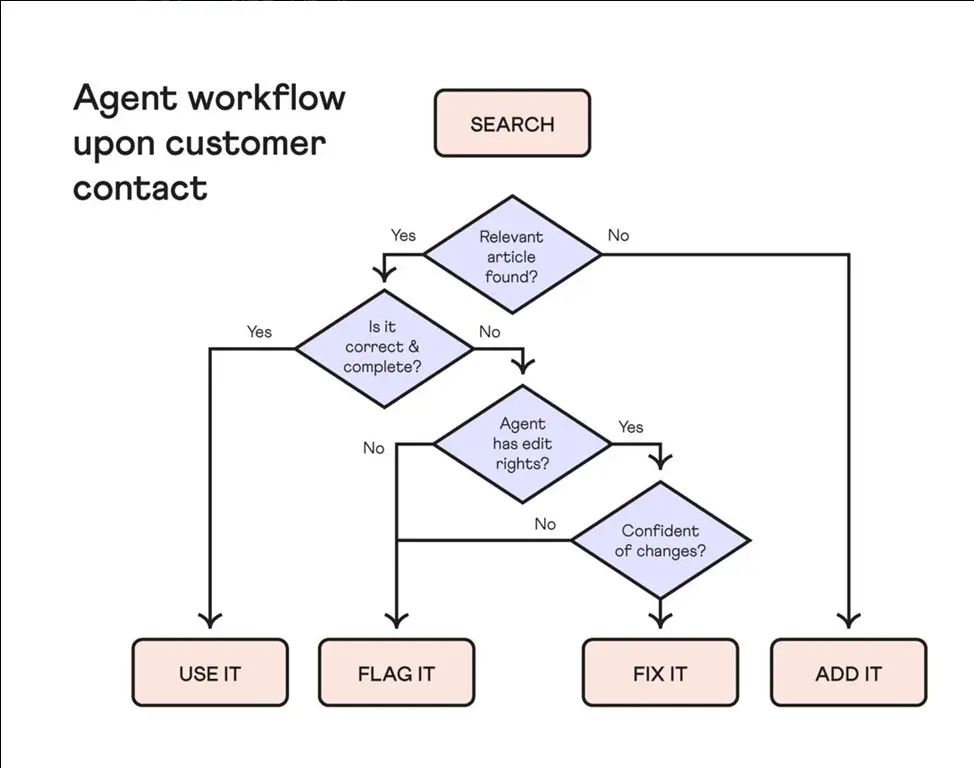
Knowledge base articles
FAQs and responses
Interaction summaries
This improves agent performance, customer satisfaction, and response speed.
What is Agent Assist?
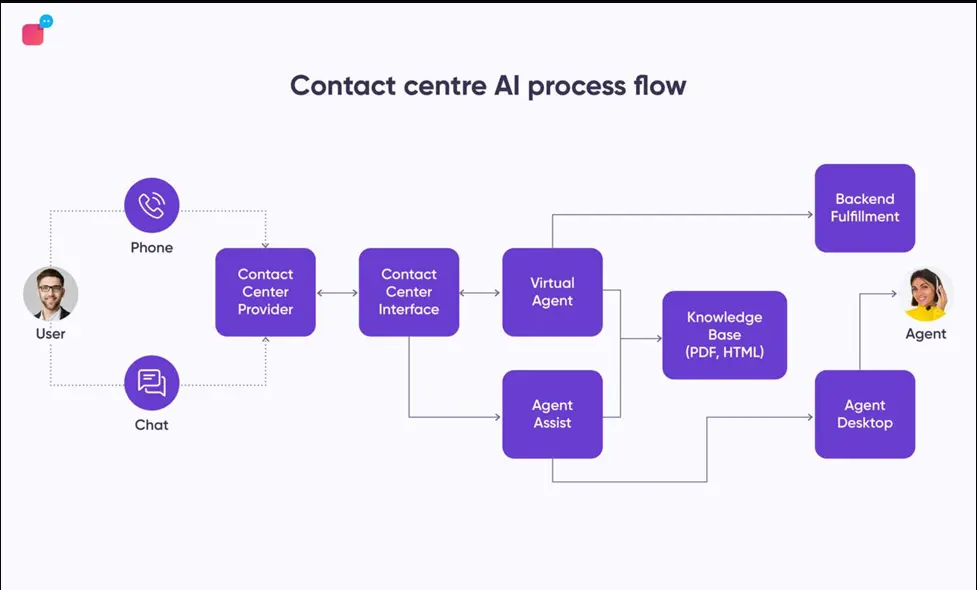
Agent Assist connects external AI applications to the CXone platform. These applications analyze conversations and provide real-time guidance to agents.
Key Benefits:
Faster response handling
Reduced agent effort
Improved accuracy
Better customer experience
How Agent Assist Works
Workflow Explanation:
Customer initiates interaction (call/chat/email)
Agent answers the interaction
Agent Assist gets triggered
AI analyzes conversation in real-time
Suggestions & insights are displayed to the agent
Dependencies of Agent Assist Action
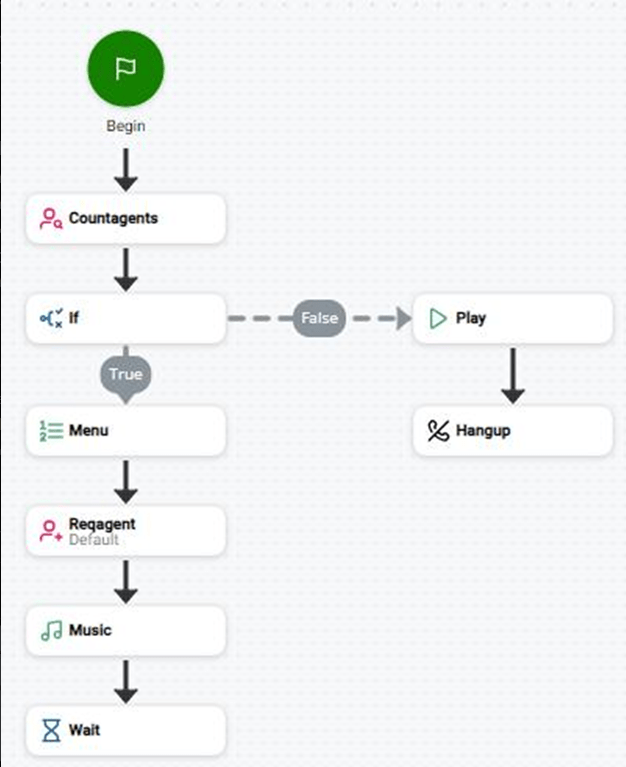
Agent Assist must be placed correctly in the script to work.
Important Rules:
Must be used after OnAnswer (voice) or OnAssignment (digital)
Requires Agent ID
Multiple Agent Assist actions can be used in one script
Each application needs its own configuration
If not configured properly, features like transcripts and summaries won’t work
This helps AI tools understand the context better.
How to Configure Agent Assist (Step-by-Step)
Open your script in Studio
Add Agent Assist action
Open Agent Assist Hub
Select your AI application
Assign configuration profile
Save and test
Real-Time Use Case Example
Scenario:
Customer asks about billing issue:
AI detects keywords
Suggests relevant FAQ
Provides response template
Agent responds instantly
Result: Faster resolution + better CX
Conclusion
Agent Assist in NICE CXone is a powerful AI-driven feature that transforms customer interactions. By integrating intelligent tools, businesses can deliver faster, smarter, and more efficient support-NICE CXone Training.