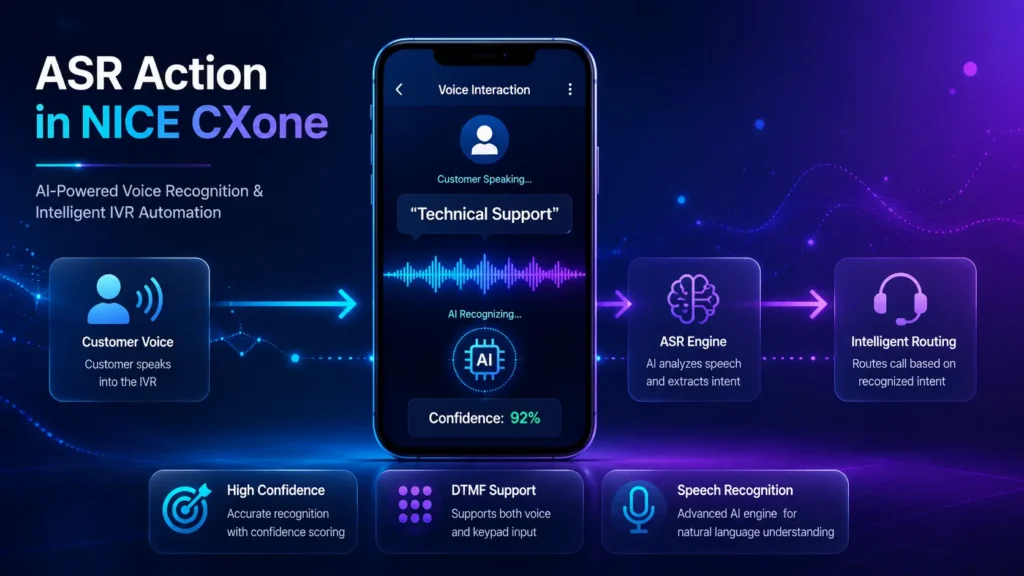
The ASR (Automatic Speech Recognition) action in NICE CXone allows IVR systems to capture spoken customer input and store it inside script variables for intelligent routing and automation.
Unlike specialized ASR actions, the ASR action offers greater flexibility because you can create your own phrase lists or grammar files for custom voice recognition workflows.
ASR Action in NICE CXone

What is ASR in NICE CXone?
xThe ASR action listens to customer speech during a phone interaction and converts the spoken response into usable script data.
For example, customers can say:
- “Sales”
- “Technical Support”
- “Account Balance”
- “Yes”
- “No”
- “12345”
The ASR engine processes the voice input and routes the interaction based on confidence levels and recognition results.
Professional ASR Workflow Architecture


Supported Script Type
Script Type | Supported |
Phone Scripts | Yes |
The ASR action is specifically designed for voice-based IVR workflows
Key Features of ASR Action
Voice Input Recognition
Captures spoken customer responses during IVR interactions.
Confidence Scoring
Returns confidence percentages for recognition accuracy.
DTMF Support
Supports both voice input and keypad input.
Custom Phrase Lists
Allows creation of tailored voice recognition phrases.
Grammar File Support
Supports advanced speech recognition using grammar files.
Intelligent Routing
Routes calls dynamically based on spoken responses.
How ASR Works in NICE CXone
Step 1 – Play Prompt
The IVR asks the customer a question.
Example:
Please say your department name.
Step 2 – Customer Speaks
The caller responds:
Technical Support
Step 3 – Speech Recognition
The ASR engine analyzes the spoken input.
Step 4 – Confidence Evaluation
The engine returns:
- Recognized phrase
- Confidence percentage
Step 5 – Script Routing
The script routes the call based on:
- High confidence
- Medium confidence
- Low confidence
- Timeout
DTMF input
ASR Voice Recognition Flow

Important Input Properties
- Caption
The Caption property defines the label shown on the Studio script canvas.
Example:
Capture Department
- Sequence
Defines the prompt played to the customer.
You can use:
- WAV audio files
- Text-to-Speech (TTS)
WAV File Example
“welcome.wav”
TTS Example
“%Please say your account number”
- Phrase
Used only for documentation purposes inside the script.
Example:
Please say your department name
- HighConfidence
Defines the confidence threshold for highly accurate matches.
Default:
70
If recognition confidence exceeds 70%, the script takes the:
OnHighConfidence
branch.
- MinConfidence
Defines the minimum acceptable recognition confidence.
Default:
50
If confidence falls:
- Between 50–70 → OnMedConfidence
- Below 50 → OnNoConfidence
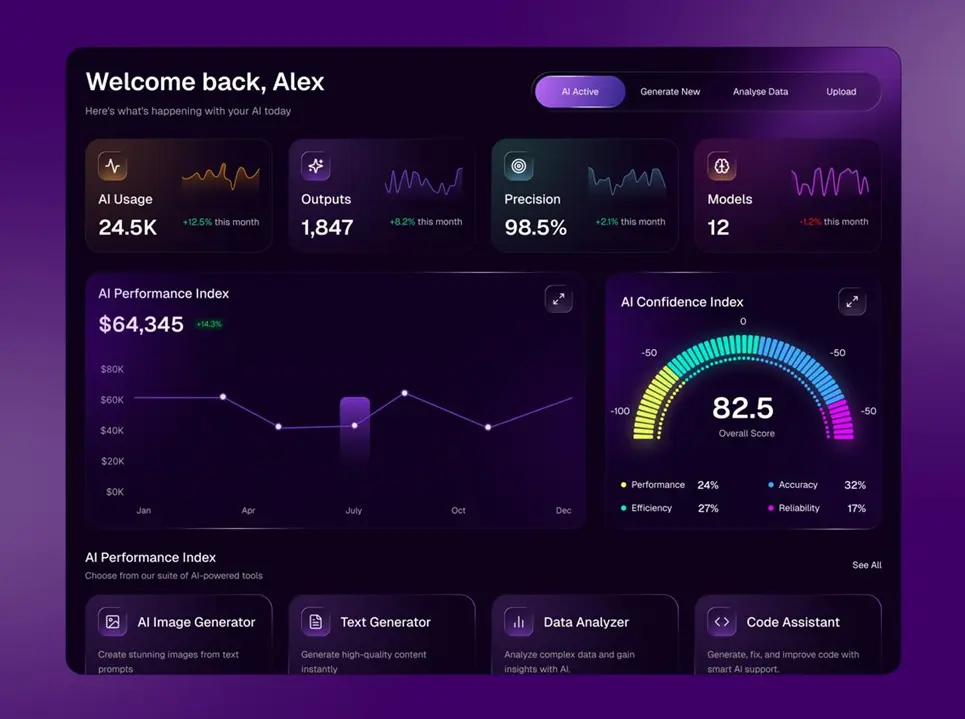
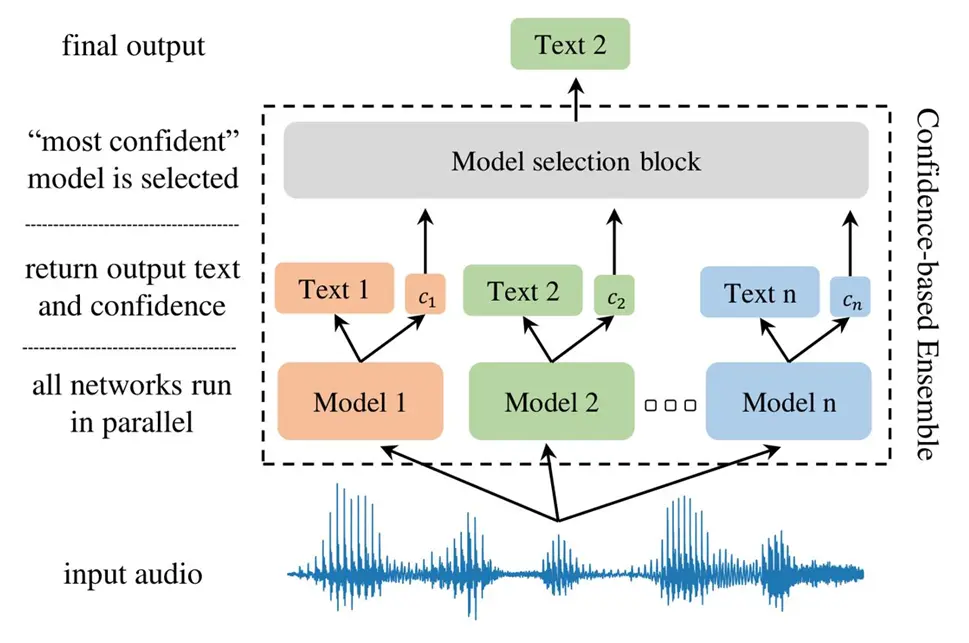
Confidence Level Illustration

- TimeoutSeconds
Defines how long the IVR waits for customer input.
Default:
10 seconds
If no input is received:
OnTimeout
branch executes.
- ResultVarName
Stores the recognized speech result.
Example:
DepartmentName
If customer says:
Sales
Then:
DepartmentName = Sales
- ConfidenceVarName
Stores the confidence percentage returned by the ASR engine.
Example:
ASRConf
- DetectDTMF
Allows both voice and keypad input handling.
Example:
- Customer can say:
Sales
OR press:
- ClearDigits
Controls whether old DTMF tones are cleared from memory.
Default:
True
- ContentType
Specifies how speech recognition is processed.
Available options:
- PhraseList
- GrammarFile
- PhraseList
Used to create custom recognition phrases.
Example Phrase List
Sales
Support
Billing
Technical
Operator
- GrammarFile
Allows advanced speech recognition using grammar files.
Useful for:
- Complex IVR systems
- Multi-language recognition
Dynamic voice models
Result Branch Conditions
Branch | Description |
Default | Standard execution |
OnHighConfidence | High accuracy recognition |
OnMedConfidence | Medium confidence match |
OnNoConfidence | Recognition failed |
OnTimeout | No customer response |
OnError | System or connectivity issue |
OnDTMF | Customer pressed keypad digits |
Real-Time ASR Use Cases
Banking
Voice-enabled account verification.
Healthcare
Appointment booking using speech.
Telecom
Plan selection through IVR voice menus.
Insurance
Policy number voice capture.
E-Commerce
Order status tracking using voice.
ASR Best Practices
Keep Prompts Short
Simple prompts improve recognition accuracy.
Good Example
Please say your department.
Bad Example
Please clearly state the department you wish to connect with today.
Use High Confidence Thresholds Carefully
Recommended:
- HighConfidence → 70–80
- MinConfidence → 50–60
Always Configure Timeout Handling
Use:
- Retry prompts
- Fallback routing
- Agent escalation
Support Both Voice and DTMF
Enable:
DetectDTMF = True
for better accessibility.
Advantages of ASR in NICE CXone
Feature | Benefit |
Voice Recognition | Hands-free customer interaction |
Confidence Scoring | Intelligent routing |
Phrase Lists | Custom recognition |
Grammar Files | Advanced speech models |
DTMF Support | Multi-input flexibility |
Timeout Handling | Better customer experience |
Conclusion
The ASR action in NICE CXone is a powerful IVR speech recognition tool that enables intelligent voice-based customer interactions.
It helps organizations:
- Automate IVR systems
- Improve customer self-service
- Reduce agent workload
- Enable smarter routing
- Build conversational voice workflows
By combining:
- Phrase Lists
- Grammar Files
- Confidence Scoring
- DTMF Handling
- Intelligent Routing
Businesses can create advanced AI-powered IVR automation systems inside NICE CXone – NICE CXone Training | VoipTrainers.