
What is ASRCompile in NICE CXone?
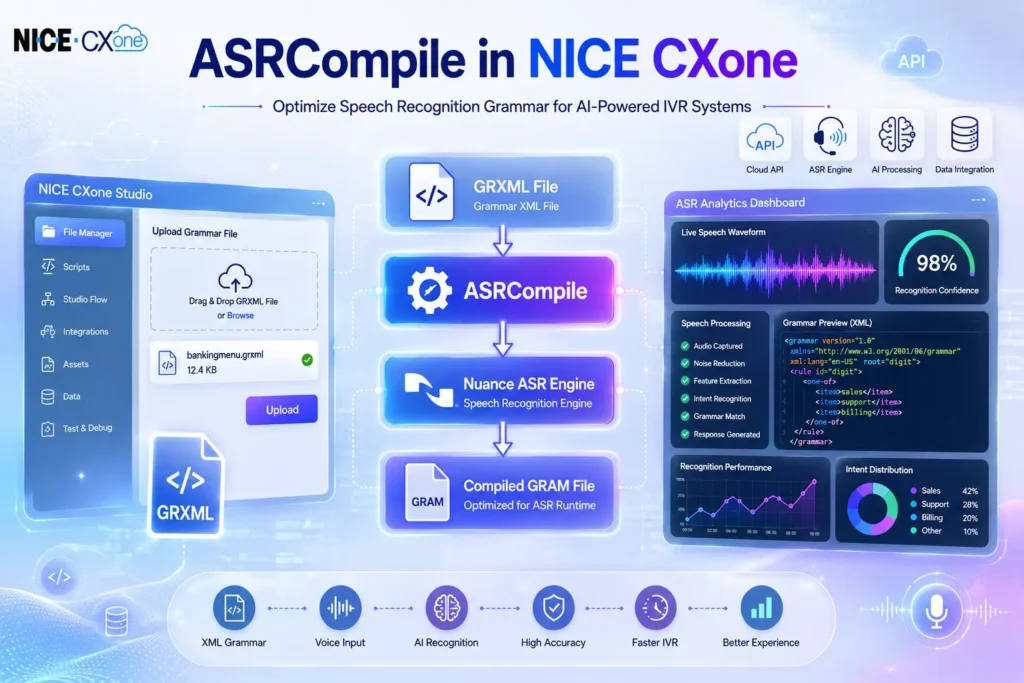
NICE CXone ASRCompile is a special Studio action used to compile custom speech recognition grammar files for ASR-enabled IVR applications.
It converts:
- GRXML files (XML-based speech grammar files)
into - GRAM files (optimized compiled grammar format)
The compiled GRAM file works more efficiently with the Nuance ASR engine used in NICE CXone.
Why ASRCompile is Important
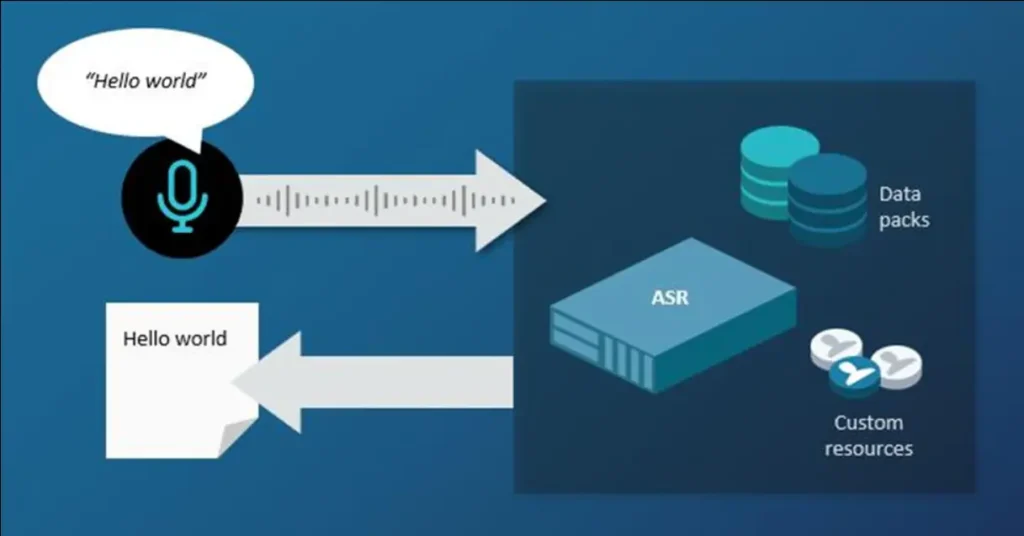
Speech recognition systems need properly optimized grammars to:
- Improve speech accuracy
- Reduce recognition delay
- Support dynamic IVR workflows
- Handle customer inputs efficiently
- Improve caller experience
Without compilation, raw GRXML files may not perform optimally in production IVR systems.
Supported Script Type
ASRCompile supports:
- Phone Scripts
This action appears only when:
- ASR feature is enabled in NICE CXone
- Your organization has ASR licensing activated
How ASRCompile Works
Workflow Diagram
Step-by-Step Process
Upload GRXML File
↓
ASRCompile Action Executes
↓
HTTP Request Sent to Grammar Service
↓
Nuance Grammar Engine Compiles File
↓
Compiled GRAM File Generated
↓
GRAM File Stored in Studio Files
↓
IVR Uses Optimized Grammar
Understanding GRXML and GRAM Files
GRXML File
GRXML stands for:
Grammar XML
It contains:
- Expected caller phrases
- Numbers
- Commands
- Menu options
- Validation rules
Example:
<grammar version=”1.0″
xmlns=”http://www.w3.org/2001/06/grammar”
xml:lang=”en-US”
root=”digit”>
<rule id=”digit”>
<one-of>
<item>sales</item>
<item>support</item>
<item>billing</item>
</one-of>
</rule>
</grammar>
GRAM File
GRAM is:
- Binary compiled grammar format
- Optimized for Nuance speech engine
- Faster during runtime
- Better for large IVR deployments
ASRCompile Architecture
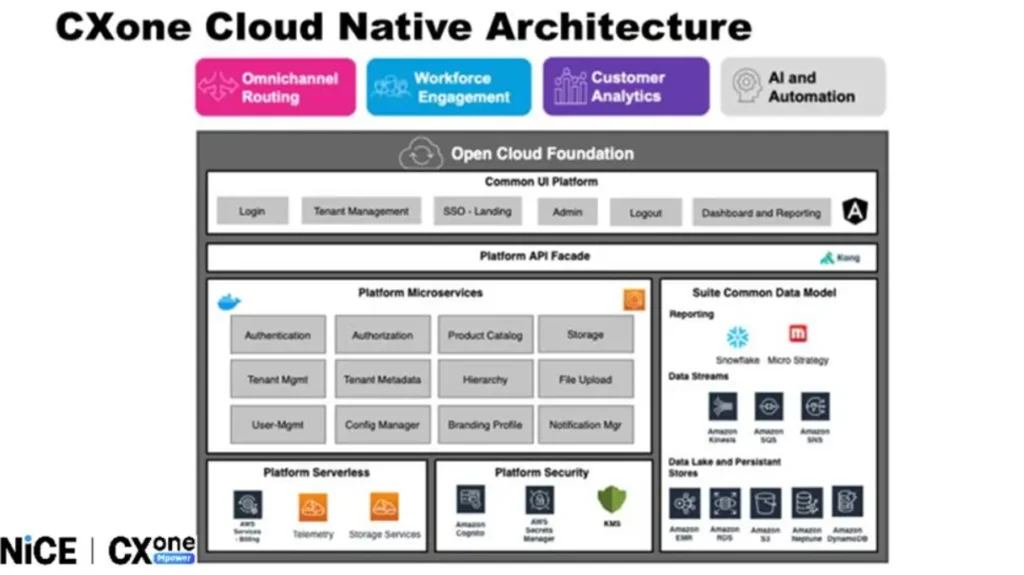
Internal Processing Diagram
Studio Script
↓
ASRCompile Action
↓
Grammar Service API
↓
Nuance Compiler
↓
Compiled GRAM Output
↓
Studio File Storage
ASRCompile Input Properties
- Caption
Defines:
- Friendly name of the action
- Appears on Studio canvas
Example:
Compile_Banking_Grammar
- GrammarFileName
Specifies:
- Uploaded GRXML filename
Example:
bankingmenu.grxml
After compilation:
bankingmenu.gram
- ResultVariable
Stores:
- Compilation result
- Returned response data
- Status information
Example:
ASRCompileResult
Result Branch Conditions
Default Branch
Executed when:
- Grammar compiles successfully
Flow
Compile Success
↓
Continue IVR Logic
OnError Branch
Executed when:
- Syntax error exists
- Invalid XML format
- Upload issue
- HTTP failure
- Grammar service unavailable
The system populates:
_ERR
with condensed error information.
Complete ASRCompile Workflow Example
Banking IVR Scenario
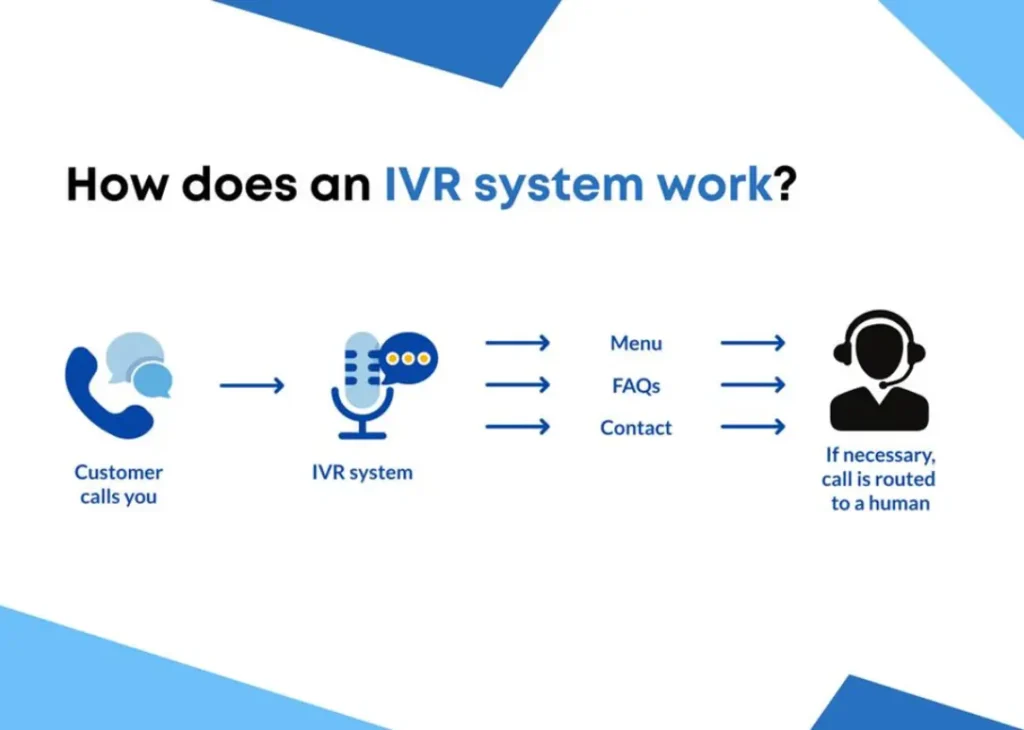
Customer calls banking IVR.
The system needs optimized grammar for:
- Account balance
- Card blocking
- Loan inquiry
- Fund transfer
Workflow Diagram
Upload banking.grxml
↓
Run ASRCompile
↓
Generate banking.gram
↓
ASR IVR Loads Grammar
↓
Caller Says:
“Balance Inquiry”
↓
Nuance ASR Recognizes Intent
↓
Route to Banking Service
Using ASRCompile with ASR Actions
ASRCompile commonly works with:
- AskCaller
- Asr
- Asrsql
- Menu
- Play
- Capture
ASRCompile + ASRSQL Integration
One powerful use case is combining:
- ASRSQL
with - ASRCompile
This allows:
- Dynamic grammar generation
- Database-driven IVR
- Real-time speech options
Dynamic Grammar Workflow
Example Scenario
Database contains:
- Product names
- Customer names
- Branch locations
ASRSQL fetches data dynamically.
ASRCompile converts generated grammar into optimized GRAM format.
Dynamic Workflow Diagram
Database
↓
ASRSQL Fetches Data
↓
Generate Dynamic GRXML
↓
ASRCompile
↓
Compiled GRAM File
↓
ASR IVR Runtime
Common ASRCompile Errors
Invalid XML Structure
Problem
Malformed GRXML syntax
Solution
Validate XML structure before upload.
Missing Grammar File
Problem
File not uploaded in Studio
Solution
Upload file before execution.
Unsupported Grammar Rule
Problem
Nuance compiler rejects unsupported syntax.
Solution
Use valid GRXML standards.
Network or HTTP Failure
Problem
Grammar service unavailable.
Solution
Retry execution later.
Best Practices for ASRCompile
Use Separate Utility Script
Do NOT use ASRCompile directly in production IVR flows.
Recommended approach:
Utility Script
↓
Compile Grammar
↓
Store GRAM File
↓
Production IVR Uses Compiled File
Keep Grammar Small
Large grammars:
- Reduce ASR speed
- Increase recognition complexity
Use focused grammars whenever possible.
Validate GRXML Before Upload
Always:
- Check XML tags
- Validate syntax
- Test grammar locally
Use Meaningful File Names
Example:
banking_mainmenu.grxml
insurance_claims.grxml
payment_options.grxml
Sample Studio Script Flow
Visual Logic Diagram
Begin
↓
ASRCompile
↓
+——————-+
| Success? |
+——————-+
↓ Yes ↓ No
Load GRAM OnError
↓ ↓
Continue IVR Log Error
↓ ↓
End End
Real-Time Enterprise Use Cases
Banking IVR
Recognize:
- Account numbers
- Banking intents
- Card requests
Healthcare IVR
Recognize:
- Appointment booking
- Doctor names
- Patient IDs
Telecom IVR
Recognize:
- Recharge requests
- SIM activation
- Plan upgrades
Insurance IVR
Recognize:
- Claim numbers
- Policy IDs
- Renewal requests
Advantages of ASRCompile
Feature | Benefit |
Faster ASR Processing | Better caller experience |
Optimized Grammar | Improved recognition |
Supports Dynamic IVR | Real-time flexibility |
Nuance Optimization | Enterprise-grade accuracy |
Better Performance | Reduced latency |
Limitations of ASRCompile
Limitation | Description |
Not for Live Runtime | Intended for utility scripts |
Requires ASR License | Optional NICE CXone feature |
Depends on Nuance Engine | Grammar compatibility required |
Needs Proper GRXML | Invalid syntax causes failure |
Final Thoughts
NICE CXone Studio ASRCompile is an essential utility action in NICE CXone for optimizing speech recognition performance.
By converting GRXML grammars into efficient GRAM files, organizations can:
- Improve ASR accuracy
- Build scalable voice IVRs
- Reduce caller frustration
- Enable dynamic speech workflows
- Deliver enterprise-grade automation
For advanced IVR systems using speech recognition, ASRCompile plays a critical role in ensuring fast and reliable caller interactions – NICE CXone Training | VoipTrainers.
